Chapter 9 Enabling marking or tracking
Blue or Inverted Marking Function for Certain Items on PDF Invoices

You can mark certain items or comments on an invoice for blue or inverted black marking (like checks) to draw attention to specific lines.
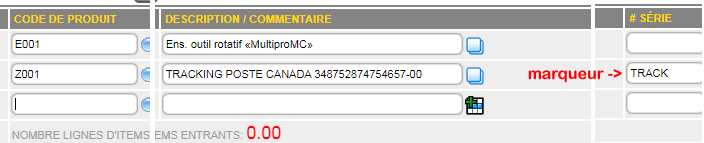
Manually enter the TRACK code in the serial number to activate the marking function when printing (invoices only).
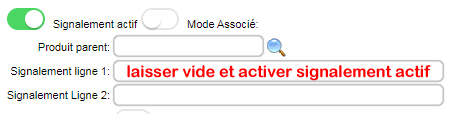
You can also automate this feature by enabling the flashing option in the product details without entering anything in the two flagging fields.
The product loaded into the invoice will be automatically marked.
A work order or order containing this item will be automatically reviewed for marking upon import or conversion to an invoice via the blue INVOICE button.
|
|