The civil ou calendar year closure allows 3 types of resets.
1)- The zero reset of employees is normally used at all times. each year before starting payroll again for a new calendar year. This reset does not affect the production of T4, R1 and RE forms.
2)- The zero reset of customer accumulators only affects purchases at the end of the year. date of the customer file. This reset does not affect the sales report.
3)- The zero reset of supplier accumulators only affects purchases made at the same time. date with a supplier. This reset does not affect the purchases report.
Calendar year end procedure for payroll and employees
(for several companies you must do this in each company)
1) Finish your payroll for the current year BEFORE updating the rates.
2) Use the PAYROLL TOOLS section in the ADMINISTRATIVE SETTINGS section SPECIAL TOOLS.
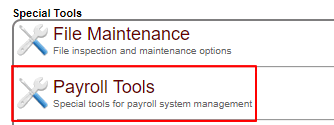
3) The  button allows button allows
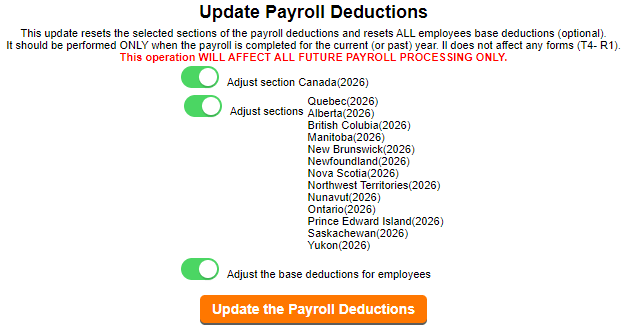
to update your pay rates for the indicated year.
This will set up the new tables and rates
for the territories and provinces indicated.
|
|
4) To reset employee cumulatives (on the pay stub),
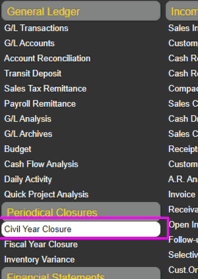
you must go to the PERIODIC PROCESSING option CALENDAR YEAR CLOSURE.
|
|
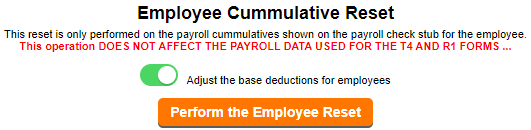
5) The  button allows button allows
to initiate the reset of the accumulators used.
|
|
*WARNING*
The normal CPP (Quebec RRQ) contribution
and the CPP supplement (QPP Quebec) must reference
the same printing group in the pay template so that
the system can recognize the cumulative amount paid by the employee.
|

|
|
|