Sales Tax Processing/Rebates
Sales Tax Processing allows to rebate sales taxes collected during invoicing and allows to claim taxes entered during purchases. The review period can be specified (by default, the system evaluates the last quarter).
The evaluation is based on the GL entries and the result is compared to the journals (sales and purchases). In the example here, the section marked in blue indicates the results of the journal. If a discrepancy is detected it will be indicated at the bottom of the page.
The POST-REMITTANCE evaluation is an exhaustive check that ensures that no transaction (purchase or sale) has been entered for a previous period AFTER THE LAST REMITTANCE (IE forgotten and undeclared or unclaimed).
Depending on your work technique, it is possible to disable this option and examine ONLY the specified period.
A REMITTANCE TRANSACTION is considered as such if a check mark (remittance entry) appears in the transaction. The system automatically puts this check mark during tax or Payroll Remittances.
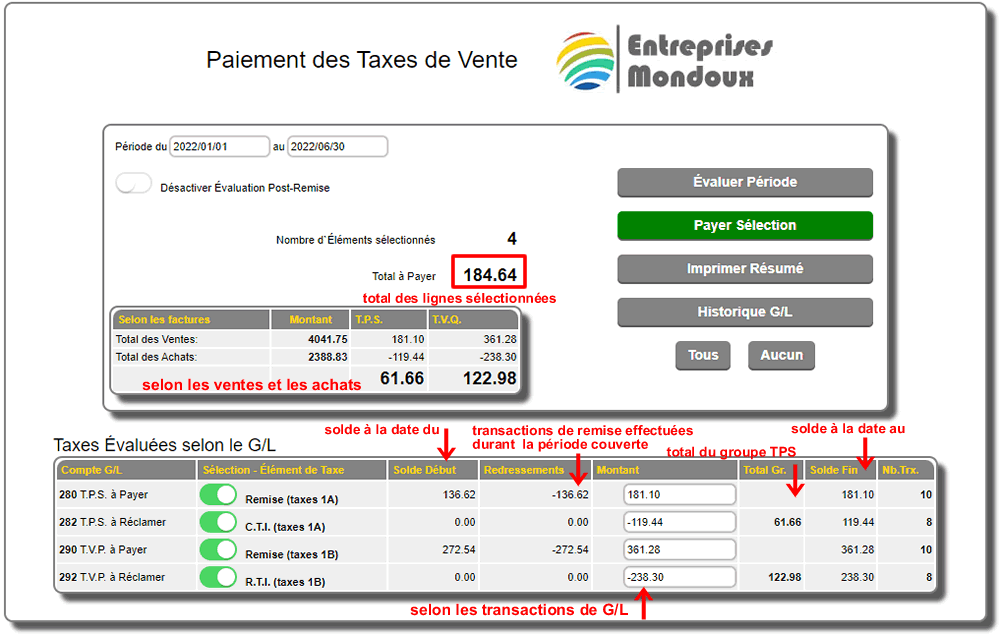
A difference is normally the result of an unreported invoice or a manual entry involving tax accounts.

In this example, two purchase invoices are not closed and carried forward. Most of the time, these are expenses involving taxes entered manually in the G/L.

The amount to be paid is always based on the analyzed amount of the G/L. The amount in the boxes associated with each tax level can be modified if necessary.
It is possible to select only certain levels if a partial tax rebate must be made.
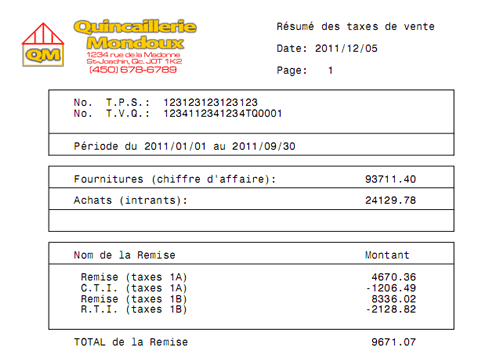
Once the final amount is determined, it is possible to print a summary of the tax rebates, see example below.
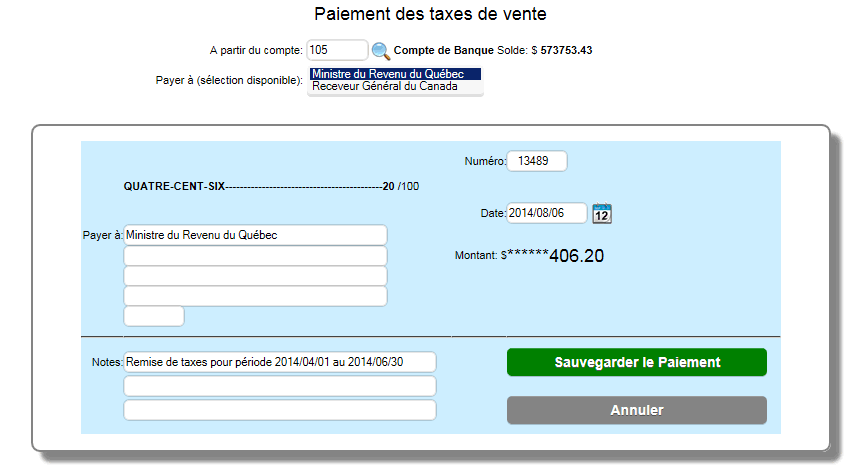
By selecting the Pay Selection button, a remittance check can be issued. The check date and number can be changed before saving the payment.
|