Chapter 5 Using Products weighed or encoded with price
In the inventory record, the search alias contains a code equivalent to the product code used for invoicing. Example: A UPC barcode on a product that would be used at the checkout.
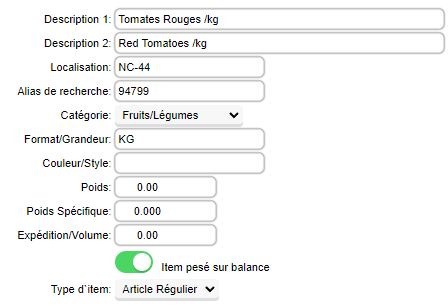
The ITEM WEIGHED ON SCALE option allows invoicing with the AUTO ITEM ADVANCE mode to switch to quantity mode before moving on to the next item.
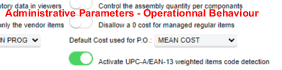
| The ENABLE UPC-EAN DETECTION option in the administrative settings - operational behavior - inventory section must be enabled.
At this point, you will see the text in blue on the product record. |
 |
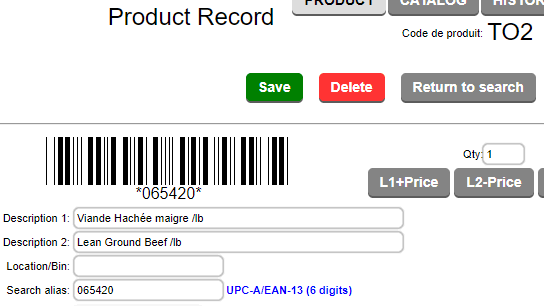
This allows you to scan a label that contains both the product code and the encoded price in one go.
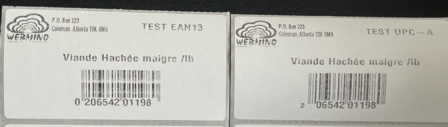
Example of an EAN-13 code: 0206542011980 where 02 is the check digit, 065420 is the product code, 1198 is the price (max 99.99), and 0 is the check digit.
To use this function, the product code (6 digits after the check digit "02" or "20") can be entered as the main product code or as a search alias. In the invoicing or point-of-sale system, the product and price will be detected and added to the invoice.

|
|