Chapter 4 Item Tools
On the item row, you will find some useful tools.
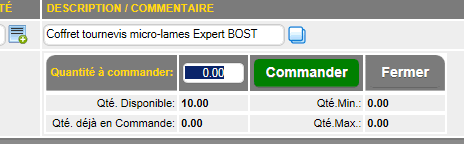
The  button displays a section that allows you to add the product to the wish list. These products are managed in the "Products to Order" option of the inventory menu. button displays a section that allows you to add the product to the wish list. These products are managed in the "Products to Order" option of the inventory menu.
The  button displays the profit calculator to help the seller calculate prices or select from available prices (circled in red). button displays the profit calculator to help the seller calculate prices or select from available prices (circled in red).
In the regular billing calculator on the right, you'll find related products from the ACCESSORIES section of the CATALOGUE tab on the product page.
These items can be added to the invoice using the button (indicated by the red arrow).

If the item's page includes a sales format, the area calculator will appear. This can be used to determine the area to be covered with the product's sales format.

The  button to the right of the description opens the notepad for entering very long comments, which will need to be split across multiple lines. button to the right of the description opens the notepad for entering very long comments, which will need to be split across multiple lines.
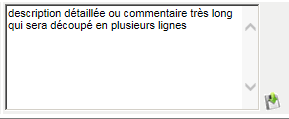
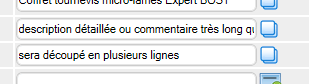
Clicking the  button will split the line across the required number of lines. button will split the line across the required number of lines.
The  button allows you to convert a displayed discount percentage into an amount. For example, entering 10 and clicking it will calculate 10% of the unit price as the unit discount. button allows you to convert a displayed discount percentage into an amount. For example, entering 10 and clicking it will calculate 10% of the unit price as the unit discount.
The  button on each line allows you to deduct the tax from the amount entered in the Unit Price field, according to the item's tax rate. So, to deduct $100, enter 100.00 in the price field and click this button. button on each line allows you to deduct the tax from the amount entered in the Unit Price field, according to the item's tax rate. So, to deduct $100, enter 100.00 in the price field and click this button.
The EVALUATE PROMOTIONS button allows the system to evaluate the promotions included in the customer's specific items. This is particularly useful in the grocery sector, where certain discounts or free items are offered based on the number of items purchased within a timeframe determined by the specific items section.
See the inventory details for promotion information.
For complete instructions regarding rental items CLICK HERE
|
|